
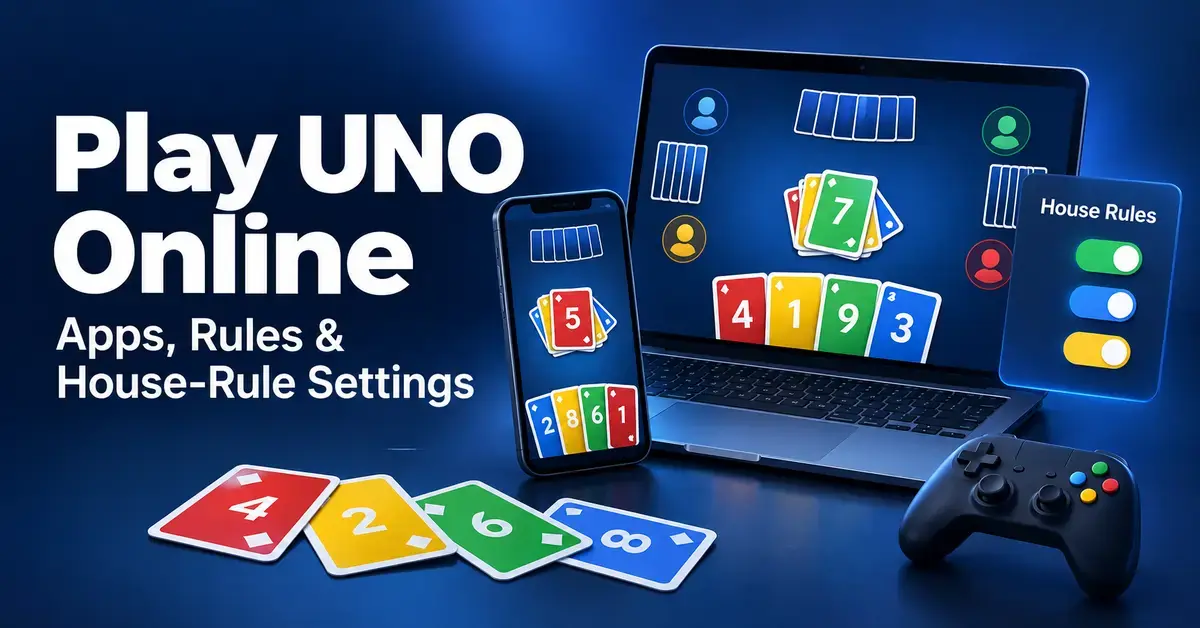
You can play UNO online for free through official mobile apps, or buy a version for your games console or PC — and most digital editions let you switch on the same house rules people argue about at the kitchen table. This guide explains where to play UNO online, how to start a match, which game modes exist, and exactly which house-rule settings you can toggle so your digital games feel like your own.
Can you play UNO online?
Yes — UNO is officially available online as a free mobile app and as a paid game on consoles and PC. Mattel (through its studio Mattel163) runs the main mobile versions, while Ubisoft publishes the console and computer editions. All of the official versions support real-time multiplayer, so you can play against friends, family or strangers around the world.
There are also unofficial “play UNO free” websites. These are browser clones that are not made or licensed by Mattel, so this guide keeps them separate from the official options below.
Where can you play UNO online?
There are three official routes to play UNO online, plus unofficial browser sites. Each suits a different kind of player, so pick based on the device you own and whether you want quick free matches or a one-off purchase.
UNO! Mobile — the main online app
UNO! Mobile is the flagship online version and the one most people mean by “UNO online.” It is developed by Mattel163, a joint venture between Mattel and NetEase, and it is free to download on iPhone, iPad and Android, with optional in-app purchases. A standard match seats two to four players, and you can create a private room and invite friends. It is the only official version that lets you fine-tune a long list of house rules before a game, which is why most of the house-rule section below describes this app.
Quick Facts: UNO! Mobile
| Developer | Mattel163 (a Mattel + NetEase joint venture) |
| Official download | Apple App Store · Google Play |
| Price / licence | Free to download; optional in-app purchases (about US$1.99–US$19.99) |
| File size | Approximately 650 MB on iOS; varies on Android |
| Operating systems | iOS 14.0 or later; Android 5.0 or later |
| Players per match | 2–4 online; private rooms for friends and 2v2 teams |
UNO Wonder — the newer solo-friendly app
UNO Wonder is a second official app from Mattel163, launched worldwide on 17 September 2025. Unlike UNO! Mobile, it is built around a single-player journey with more than 3,000 levels, a cruise-ship storyline, boss battles and nine new action cards, and it can be played offline. It also offers online multiplayer, and a 2v2 “UNO Teams” mode was added in 2026. Choose UNO Wonder if you want a relaxed game you can play at your own pace; choose UNO! Mobile if you mainly want fast, competitive online matches.
UNO on consoles and PC (Ubisoft)
Ubisoft publishes the console and computer version of UNO, which you buy once rather than download free. The current release is UNO Legacy Edition, launched on 10 September 2024 for Nintendo Switch, PlayStation 4 and 5, Xbox One and Series X|S, and PC via the Epic Games Store; it bundles add-ons such as UNO Flip!, UNO 50th Anniversary, UNO Party! Mania and UNO Show ‘Em No Mercy. The original Ubisoft UNO (2016) also remains on sale on Steam and the console stores. Expect to pay around US$9.99 for the base game, and remember that online play usually needs the platform’s subscription — Nintendo Switch Online, PlayStation Plus or Xbox’s online service.
Browser and “free online UNO” sites
Browser sites that promise free UNO with no download are almost always unofficial clones, not products made or licensed by Mattel. They can be a quick way to play in a pinch, but the rules, card art and names are often changed to avoid trademarks, matches may be filled with bots, and the pages are usually ad-supported. If you want the genuine game with the real rules and card set, stick to the official apps or the Ubisoft release.
Where to Play UNO Online Compared
| Where to play | Devices | Online play | Cost | Best for |
|---|---|---|---|---|
| UNO! Mobile (Mattel163) | iPhone, iPad, Android | Real-time 2–4 players, 2v2, private rooms | Free + in-app purchases | Competitive play and custom house rules |
| UNO Wonder (Mattel163) | iPhone, iPad, Android | Online multiplayer and 2v2; offline campaign | Free + in-app purchases | Solo players and offline play |
| UNO Legacy Edition (Ubisoft) | Switch, PS4/5, Xbox, PC (Epic) | Online multiplayer (platform subscription usually needed) | Around US$9.99 | Console and TV play with DLC editions |
| UNO (Ubisoft, original) | PC (Steam), PS4, Xbox One | Online multiplayer | Around US$9.99 | PC players who want the classic 2016 release |
| Unofficial browser sites | Any web browser | Varies; often bot-filled | Free (ad-supported) | A quick game, if you accept unofficial clones |
How do you start playing UNO online?
Getting into your first online match takes only a few minutes. These steps describe UNO! Mobile, the free app, but the flow is similar on UNO Wonder and the console versions:
- Install the app. Download UNO! from the Apple App Store or Google Play and open it. It is free, so you do not pay to start.
- Sign in or play as a guest. You can jump straight in as a guest, or link a Facebook, Google or Apple account so your progress is saved across devices.
- Pick a mode. Tap Classic for a standard online match, 2v2 for team play, or Go Wild and seasonal modes when they are available.
- Play with friends (optional). Open Room mode, create a private room, choose your house rules, and share the invite so friends can join your table.
- Take your turn. Match the top card by colour, number or symbol, or tap the draw pile. The app highlights playable cards and runs a turn timer, so a match moves quickly.
- Call UNO. When you reach one card, tap the UNO button in time, or an opponent can catch you for a penalty.
If you are brand new to the game itself, read the official UNO rules for beginners first so the on-screen prompts make sense.
What game modes can you play online?
Online UNO offers far more than a single match type, and the list changes as apps add seasonal content. These are the modes you will see most often in UNO! Mobile:
- Classic: A standard match for two to four players using the normal rules.
- 2v2: Team play where you and a partner share the goal of emptying a hand first.
- Room mode: A private table you host and invite friends to, with full control over the house rules.
- Go Wild: A high-stakes mode using two decks and larger in-game coin wagers. The stakes are the app’s virtual coins, not real money.
- No Mercy: A brutal mode built on mandatory stacking and harsh penalties; see the full UNO No Mercy rules for how it works.
- Tournaments and events: Timed competitions, World Series events and daily tasks that award coins and cosmetics.
Which house-rule settings can you turn on?
The biggest draw of UNO! Mobile is that you can toggle popular house rules on or off before a game in Room mode. These are optional variations, not part of Mattel’s official rulebook, but the app builds them in so your online table can match how you play at home. You can mix and match the settings below; for the wider picture, see the full guide to UNO house rules.
Stacking (+2 and +4)
Stacking lets a player answer a Draw card with another Draw card instead of picking up. In the app, a +2 can be stacked on a +2, and the penalty keeps growing until someone cannot add to the pile and draws the full total. Stacking is switched off by default because it is not an official rule — read why in the breakdown of whether you can stack Draw 2 and Draw 4 cards.
7-0 (Seven-Zero)
The 7-0 setting changes what number cards do. Playing a 7 forces you to swap your whole hand with another player, and playing a 0 makes everyone pass their hands around the table in the current direction of play. It can turn a losing hand around in an instant; the full logic is covered in the guide to the UNO 7-0 rule.
Jump-In
Jump-In lets you play a card out of turn if it is an exact match — the same colour and the same number or symbol as the top card. Play then continues from whoever jumped in. Online this happens with a quick tap, which removes the arguments about who played first that the jump-in rule causes with physical cards.
Force Play
Force Play is an online-specific convenience: if you draw a card that can be played, the app plays it for you automatically rather than letting you hold it. It speeds up matches but removes the choice to keep a drawn card back, so switch it off if you prefer full control of your hand.
How is online UNO different from the physical card game?
The core rules are the same, but the software handles several jobs you would do by hand. Knowing these differences helps you adjust your tactics:
- Bots fill empty seats. If no humans are available, computer opponents join so you never wait.
- A turn timer runs. Take too long and the app draws or auto-plays for you, so hesitation can cost you.
- Scoring is automatic. The app totals points and tracks wins, so there is no pencil-and-paper step.
- UNO calls are a button. You tap to call UNO and to catch others, rather than shouting it out loud.
- No physical tells. You cannot read faces, so card tracking and timing matter more — the tactics in the guide on how to win at UNO translate well to online play.
Common mistakes when playing UNO online
Most online losses come from the game’s speed and settings rather than bad luck. Avoid these frequent slip-ups:
- Not checking the house rules first. Joining a room without reading its settings means stacking or 7-0 can blindside you.
- Letting the timer decide. Running down the clock hands your move to the app, which rarely makes the choice you wanted.
- Assuming stacking is on. It is off by default; do not hold a +2 to counter a +2 unless the room has stacking enabled.
- Forgetting to tap UNO. If auto-call is off, a missed tap lets an opponent penalise you just like in the physical game.
- Overspending coins. Go Wild and similar modes can drain your virtual coins fast; treat them as entertainment, not a way to win anything real.
Is UNO online free and safe?
UNO! Mobile and UNO Wonder are free to download, while the Ubisoft version is a paid purchase. The free apps make money through optional in-app purchases of coins, gems and cosmetic card decks, priced from roughly US$1.99 to US$19.99. These buy virtual items only — the coins used in high-stakes modes cannot be cashed out, so it is not real-money gambling.
On privacy, you can usually start as a guest, or link an account to save progress; check each app’s own privacy policy for how your data is handled. The apps carry age ratings and contain ads and purchase prompts, so parents should use device-level purchase controls for younger players. The console versions avoid most of this because you pay once and there are no coin purchases.
Who is online UNO best for?
Online UNO suits anyone who wants to play without rounding up a group or finding a physical deck. UNO! Mobile fits competitive players and friends who want custom house rules; UNO Wonder fits solo players who like levels and offline play; and the Ubisoft version suits console households who prefer a one-time purchase and playing on a television. Whichever version you choose, the paper rules behind it stay the same, so keep the official rules handy as your reference when a card’s effect is unclear.
Sources
Frequently Asked Questions (FAQ)
Is UNO free to play online?
The official mobile apps, UNO! Mobile and UNO Wonder, are free to download and play, with optional in-app purchases for coins and cosmetics. The Ubisoft console and PC version is a paid game that costs around US$9.99, and its online matches usually need the platform’s own subscription.
Can I play UNO online with friends in a private game?
Yes. In UNO! Mobile you open Room mode, create a private room, choose your house rules and share the invite so friends can join. The console versions also support online multiplayer with friends, and UNO Wonder added a 2v2 team mode in 2026.
Do I need the internet to play UNO on my phone?
For live matches against other people, yes. UNO! Mobile is built around online play. UNO Wonder is the exception: its level-based single-player campaign can be played offline, though its multiplayer modes still need a connection.
Can you turn on stacking and 7-0 when playing online?
Yes, in UNO! Mobile. Both stacking and the 7-0 swap rule are optional settings you enable in Room mode before the game starts. They are switched off by default because they are house rules rather than official Mattel rules.
Is the online UNO app the same as the card game rules?
The core rules match: match by colour, number or symbol, use action cards, and call UNO on your last card. The app simply automates scoring, UNO calls and the turn timer, and it lets you toggle extra house rules that are not part of the official paper game.
